Wearable Technology with AI
November 20, 2026
In 2012, I hacked a London Oyster card and turned it into a ring. I took the contactless chip and antenna out of the card and embedded them in resin. That meant I could tap my hand against a reader to pay for a bus ride. The reader still recognised my Oyster card. I’d just changed what I had to carry. The original Oyster Ring coverage
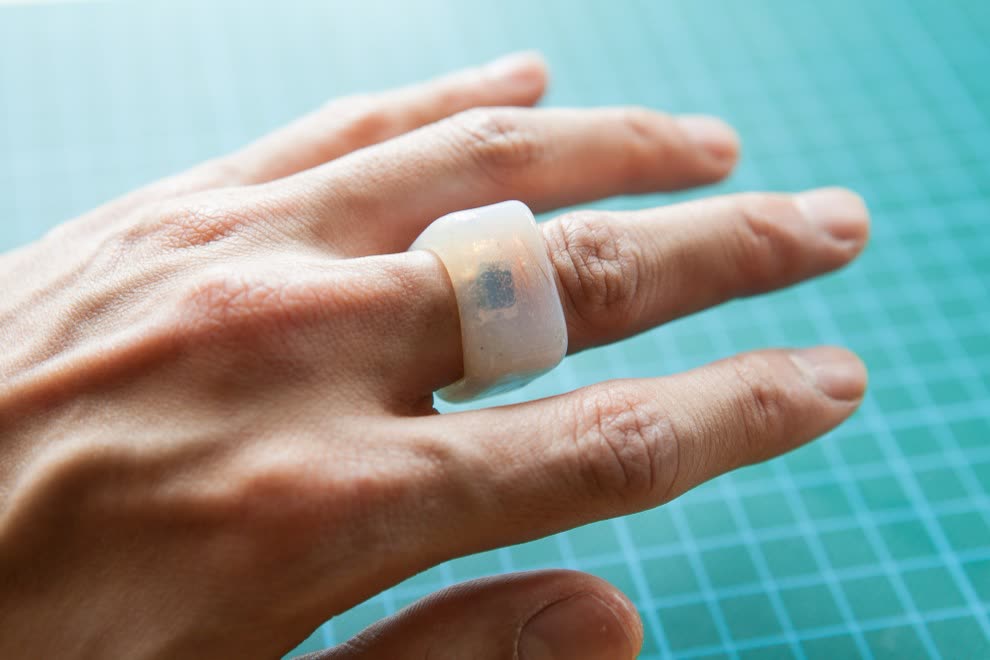
Oyster Card components in a Resin Ring
One of my favourite things about that project was seeing where someone else took it. A few days later, Justin Cooper at Adafruit wrote that the Oyster Ring had inspired him to put his Boston transit pass inside his iPhone. We’d started with much the same bit of hardware and come up with different answers to a very ordinary question: where do you want your ticket to be when you need it? Justin’s build at Adafruit
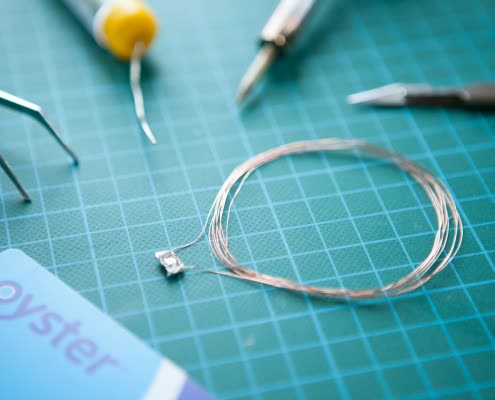
RFID component in older Oyster Ring
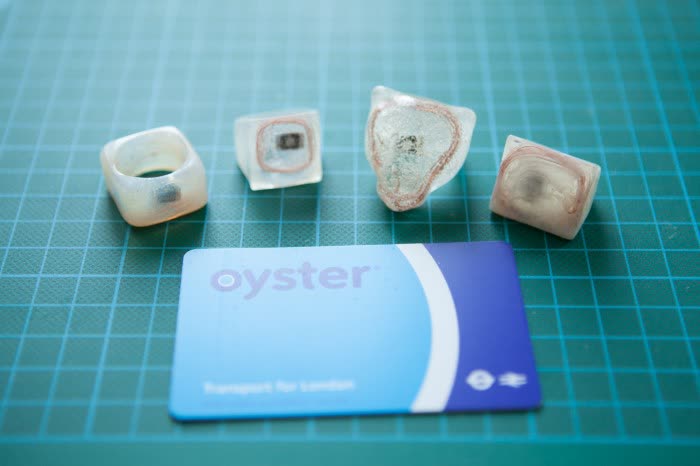
Different Variations of Rings
Wearable technology has held my interest ever since. Back then, the part I knew how to tinker with was physical. I could extract a component, reshape its housing and wear it on my finger. The Oyster chip itself was passive. It woke up near a reader and did the job it had always done. These days, with an AI coding assistant and a smart ring on my desk, I can tinker with what happens after I move my hand.
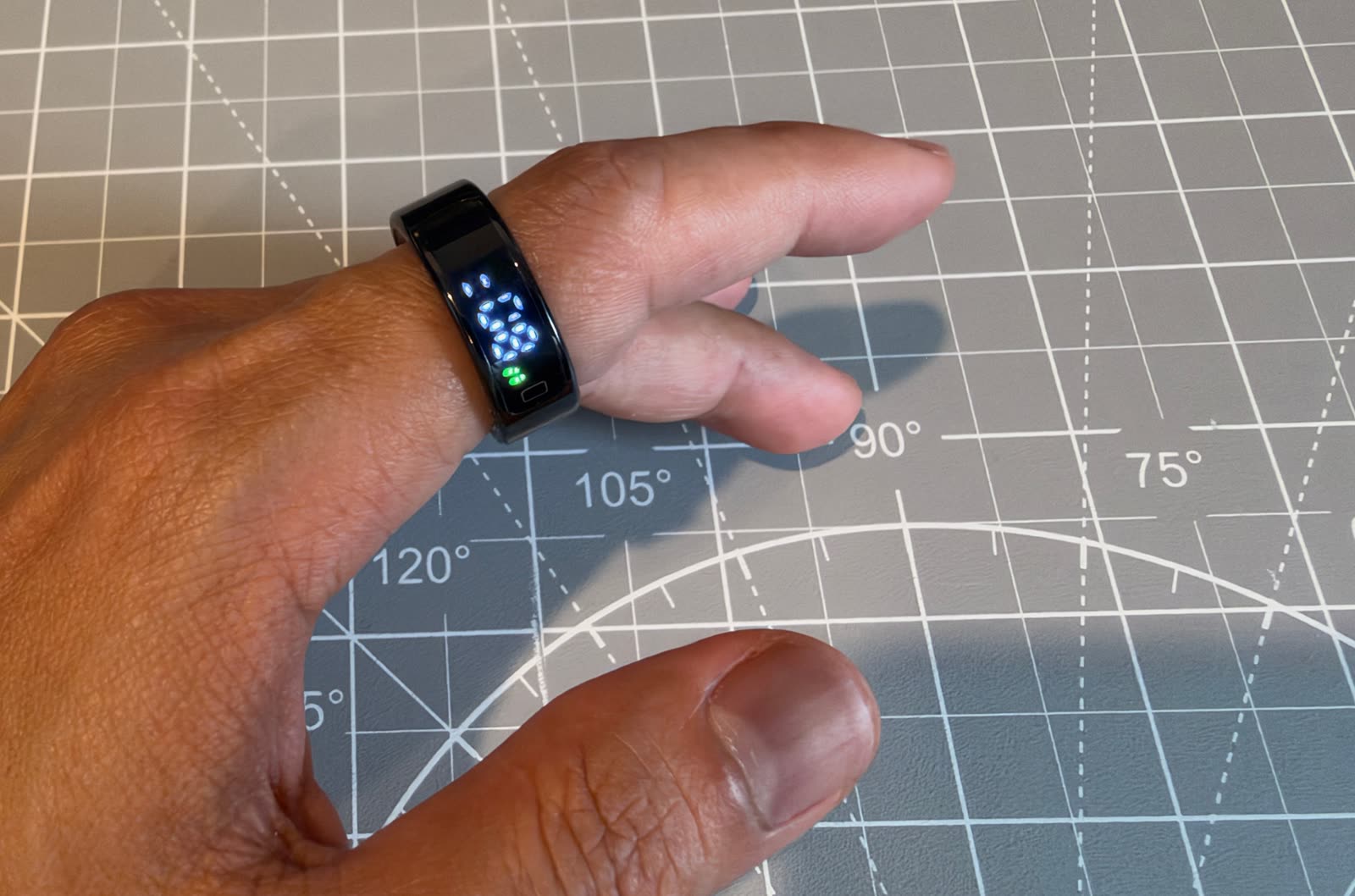
Colmi R12 Ring
A wave that took too many photos
My latest experiment started with a COLMI R12. It has a small display, a touch surface, an optical pulse sensor and a motion sensor. It comes with a companion app called QRing. I wanted to build my own iPhone app for it, partly to see the data on my own terms and partly because I wanted the ring to control the iPhone’s regular Camera app. I called the project ringOS.
The first successful camera test also gave me the best reason to change the firmware. I waved my hand and the iPhone took a photo. Then I moved my finger quickly and it took another. Even a hard tap could move the ring enough to trigger the shutter. I’d got the feature working, but I wouldn’t have left it switched on.
What I wanted was a way to tell the ring, I mean the next movement. With AI helping me follow the Bluetooth messages, read the firmware and write small patches, I could try that idea on the actual hardware. We changed the camera gesture so I could rest my thumb on the ring, hold for about a third of a second, then wave to take the shot.
The part AI couldn’t do was wear the thing. It could help me trace which instruction sent the shutter command. It took a few unwanted photos to realise that the instruction was firing at precisely the wrong moment. That back-and-forth between code and something I can try with my own hand is what keeps me tinkering.
A volume knob I can turn in mid-air
Think of the volume knob on a stereo. You can reach for it in the dark and turn the music down a little without ever seeing a number. That was the feeling I wanted from the ring. I switch on Volume from the ringOS widget, put my phone in my pocket and rest my thumb on the ring. Then I turn my wrist as though I’m holding that knob. Clockwise turns the volume up. Counterclockwise brings it down. Lifting my thumb lets me move my hand freely again.
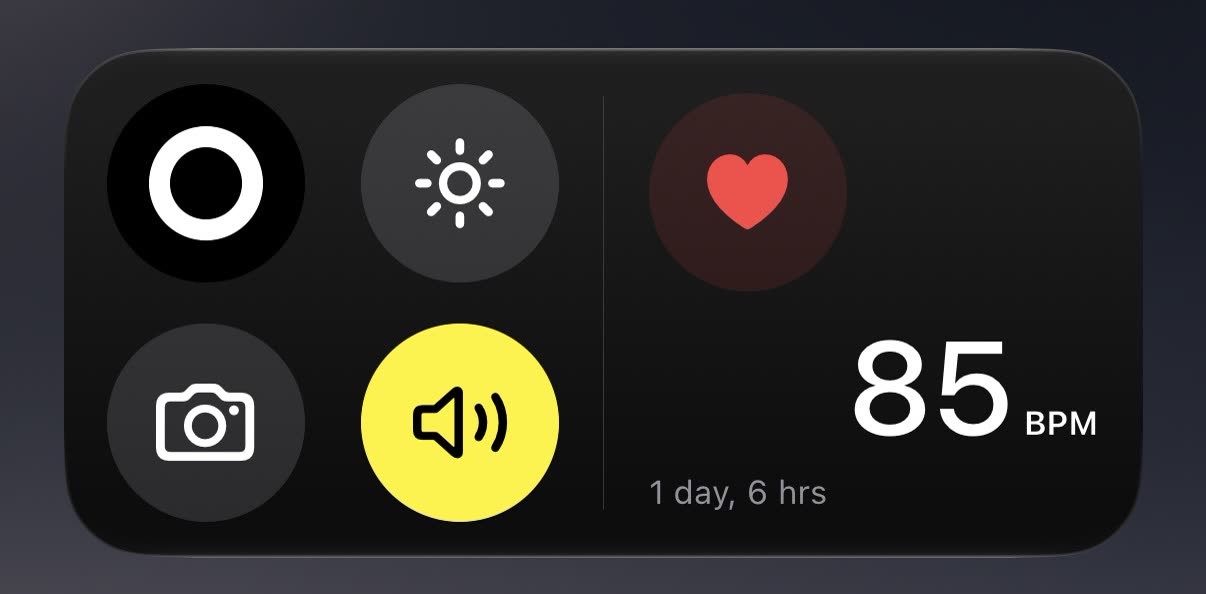
iOS widget
Ring Volume Control using Gesture
The interesting design question was what should happen if I turn my wrist and leave it there. I built two versions to try on the same hardware. In one, holding the twist keeps stepping the volume up or down, like holding a volume button. In the other, the angle sets how many steps to take. A small twist makes a small adjustment and stays there. That second version comes closer to the old stereo knob. The ring takes my hand position at the start of each hold as its reference, so I can pick up the imaginary knob wherever my hand happens to be.
What does the ring know about my sleep?
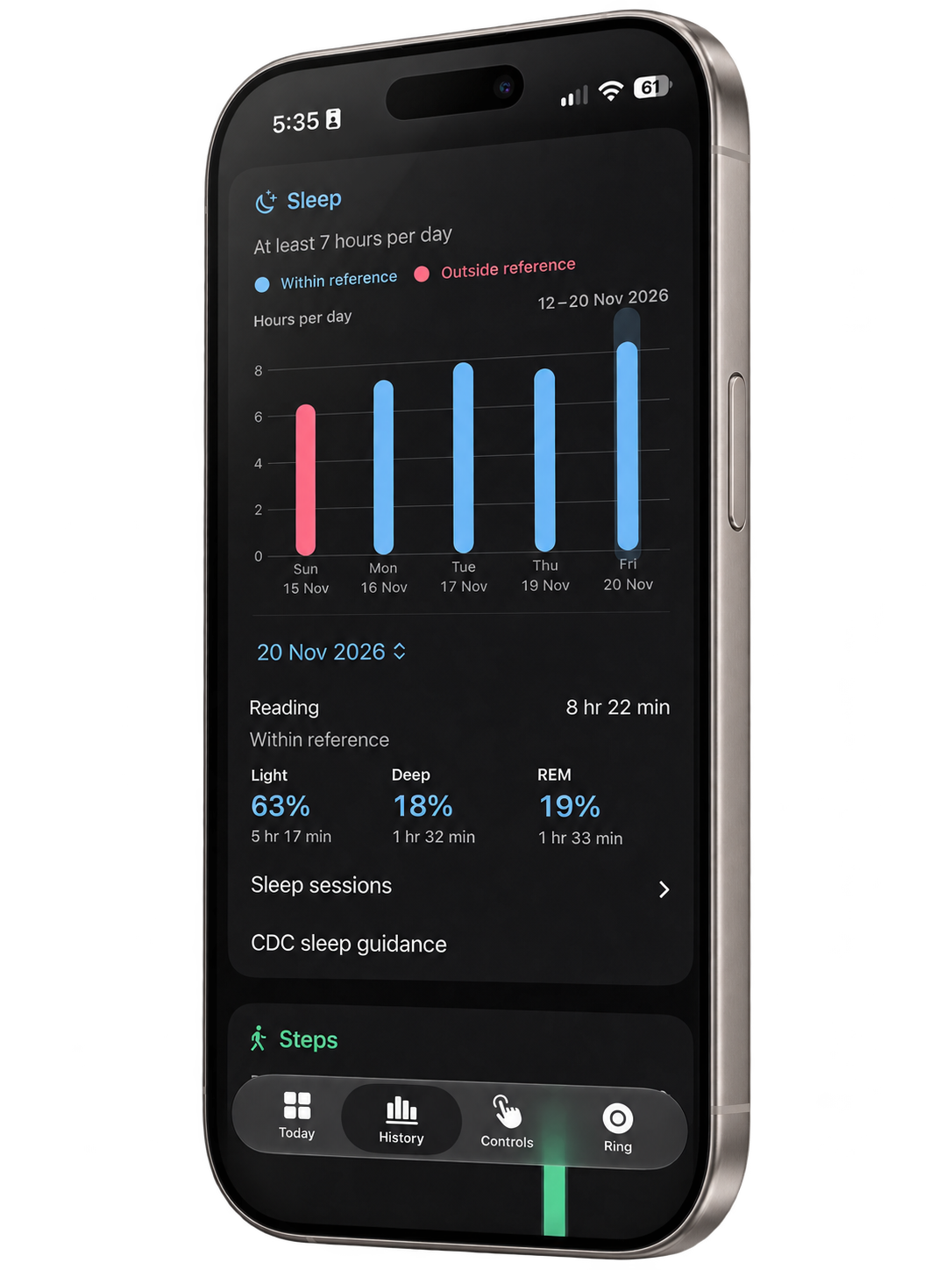
The ringOS History screen showing a sleep-stage breakdown and session times.
Having previously co-founded Neurotechnology, I’ve long been interested in neuroplasticity, the brain’s capacity to change with experience. It’s part of what draws me to the hours when I’m wearing the ring and doing nothing deliberately at all. I want to know whether I can “hack” my own sleep, and my first question is a fairly basic one. When I wake up and ringOS tells me I spent twenty minutes in REM, where did that number come from?
Following a sleep record back through the firmware turned up something I’d never have seen in a chart. On one path, the code looks at earlier stages and internal counters. In some cases, a pseudorandom choice helps it pick between deep sleep and REM. I don’t yet know how often my ring takes that path overnight. Finding it changed how I read the graph in the morning. I can trace how a stretch of time acquired its label and ask how well that label matches what was happening while I slept.
That’s the experiment I’d like to do next. I can keep the timestamped records, follow the decisions in firmware I can modify, and eventually compare a night on the ring with the same night scored in a sleep study. Then I’d like to try a small change, perhaps keeping a more regular bedtime, and see what repeats over several nights. Before I try to hack my sleep, I want to learn which patterns belong to me and which ones the ring puts there.
Written by,
Dhani Sutanto
Creative Director / Technologist
42 Interactive Co-Founder